
- Getting Connected: CarPlay and Android Auto
- Step 1: Verify Compatibility
- Step 2: Enable Bluetooth and WiFi
- Step 3: Initial Pairing
- Step 4: Configure Your Apps
- Troubleshooting Common Issues
- Wired vs Wireless
- Tips for Best Performance
- Conclusion
Getting Connected: CarPlay and Android Auto
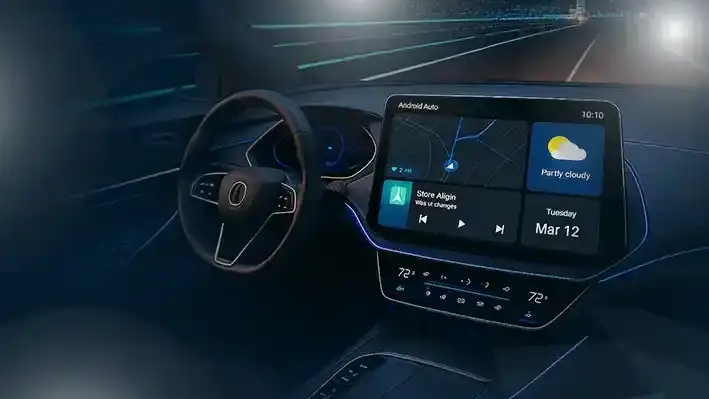
Apple CarPlay and Android Auto transform your Chinese car's infotainment system into an extension of your smartphone. Navigation, music, messaging, and calls become seamless and safe. Most 2025-2026 Chinese cars support wireless connectivity, eliminating the need for cables. This guide covers setup, troubleshooting, and tips for getting the most from these systems.
Step 1: Verify Compatibility
Before attempting to connect, verify that your Chinese car supports CarPlay or Android Auto. Most BYD, Geely, Chery, and MG models from 2025 onwards include wireless support. Check your owner's manual or the infotainment settings menu for 'Phone Projection' or 'Smartphone Connection.' If your car only supports wired connection, you will need a USB-C or Lightning cable.
Step 2: Enable Bluetooth and WiFi
Wireless CarPlay and Android Auto use both Bluetooth (for initial pairing) and WiFi (for data transfer). On your phone, enable both Bluetooth and WiFi. On the car's infotainment system, go to Settings > Bluetooth > Add Device. Put your phone in pairing mode and select your car from the list. For iPhones, accept the CarPlay prompt that appears. For Android phones, accept the Android Auto prompt.
Step 3: Initial Pairing
On your iPhone, go to Settings > General > CarPlay. Your car should appear in the available cars list. Tap it and follow the prompts. On Android, open the Android Auto app (or use the built-in system settings), tap 'Connect a car,' and follow the prompts. The first pairing may take 1 to 2 minutes. Once connected, the car's screen will display the CarPlay or Android Auto interface. Future connections will be automatic when you enter the car.
Step 4: Configure Your Apps
CarPlay and Android Auto support a wide range of apps. For navigation, Google Maps and Waze are the most popular in the UAE. For music, Spotify, Apple Music, and Anghami work well. For messaging, WhatsApp, iMessage, and Telegram are supported. Arrange your apps in the order you prefer on your phone, and the layout will sync to the car. You can also use Siri or Google Assistant for voice commands.
Troubleshooting Common Issues
- Connection fails: Restart both your phone and the car's infotainment system. Delete the Bluetooth pairing and start over.
- Audio cuts out: This is usually a WiFi interference issue. Ensure no other devices are connected to the car's WiFi hotspot.
- Screen freezes: Force-close the CarPlay or Android Auto app on your phone and reconnect.
- Apps not appearing: Update the app on your phone. Some apps require the latest version for CarPlay support.
- Siri not responding: Ensure Siri is enabled on your iPhone (Settings > Siri & Search). Hold the steering wheel voice button for 2 seconds.
- Android Auto not starting: Ensure the Android Auto app has all necessary permissions (location, microphone, Bluetooth).
Wired vs Wireless
Wireless connection is more convenient but may have occasional lag or audio dropouts. Wired connection is more stable and charges your phone simultaneously. If you experience frequent wireless issues, use a high-quality USB cable as a backup. For long drives, wired connection is recommended as it keeps your phone charged.
Tips for Best Performance
- Keep your phone's software updated for the best compatibility.
- Close unused apps on your phone to free up memory.
- Use a phone mount if your car does not have a built-in wireless charging pad.
- Download offline maps before long trips in case of connectivity issues.
- Update your car's infotainment software via OTA updates for improved CarPlay/Android Auto stability.
Conclusion
Apple CarPlay and Android Auto make Chinese cars even more user-friendly. With wireless connectivity standard on most 2025-2026 models, setup is quick and convenient. Follow the steps above, troubleshoot common issues, and enjoy seamless smartphone integration on every drive.